How a retrospective works
Three steps to better sprints.
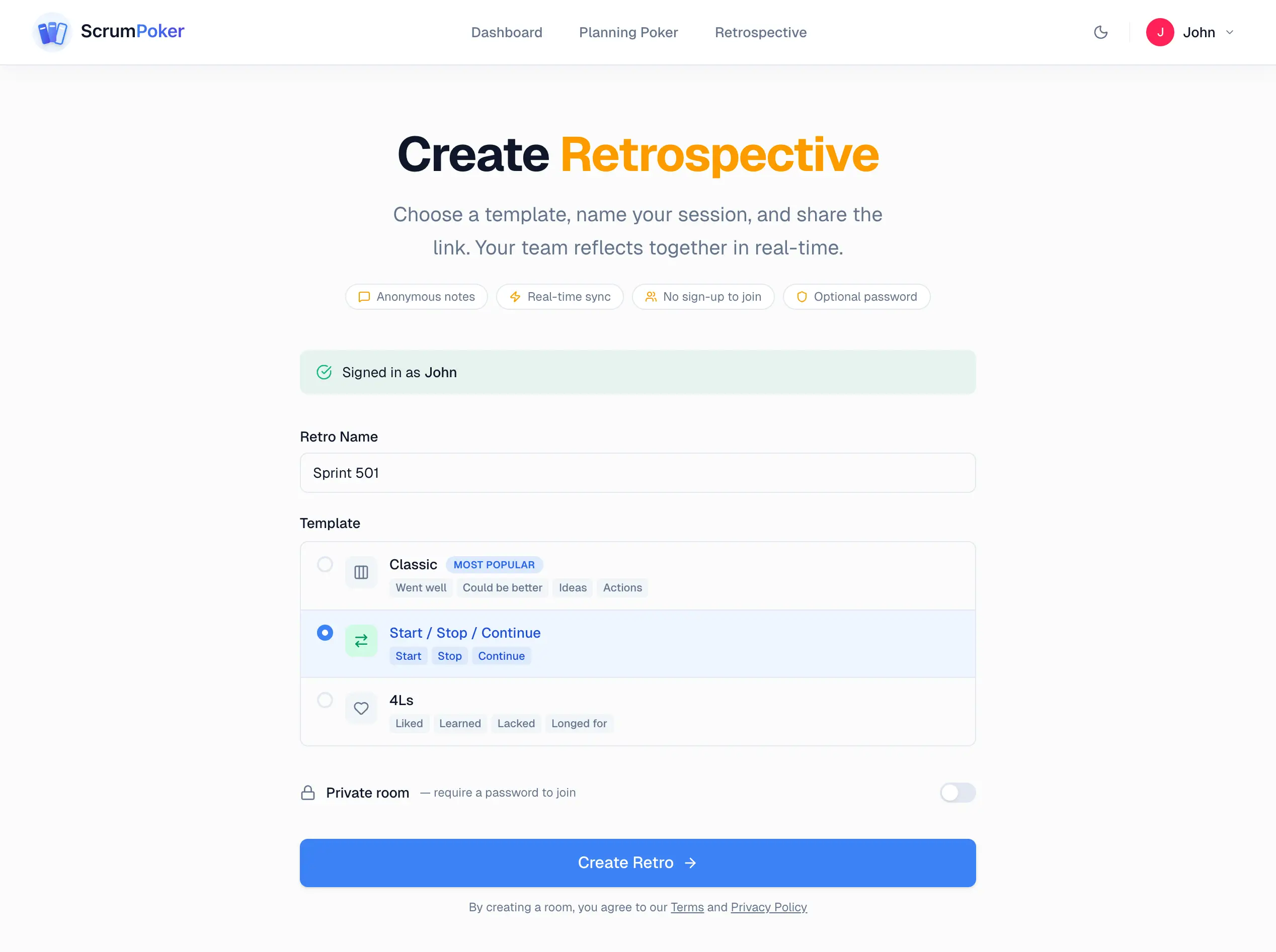
Create a retro room
Choose a template — Classic, Start-Stop-Continue, or 4Ls — name your session, and share the link with your team.
Set up the board
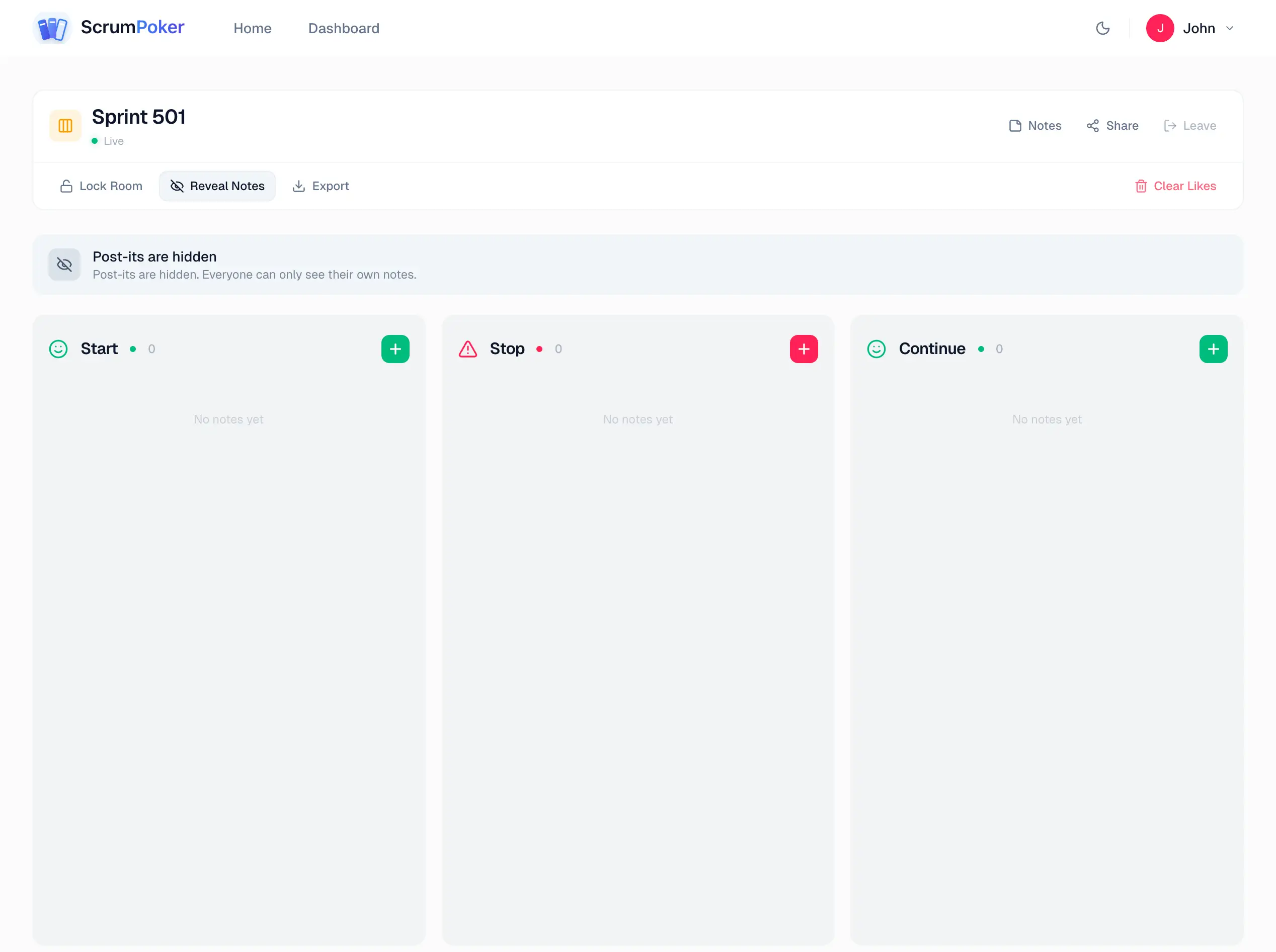
Your retro board is ready with columns matching your template. Post-its are hidden by default so everyone can only see their own notes.
Add notes & vote
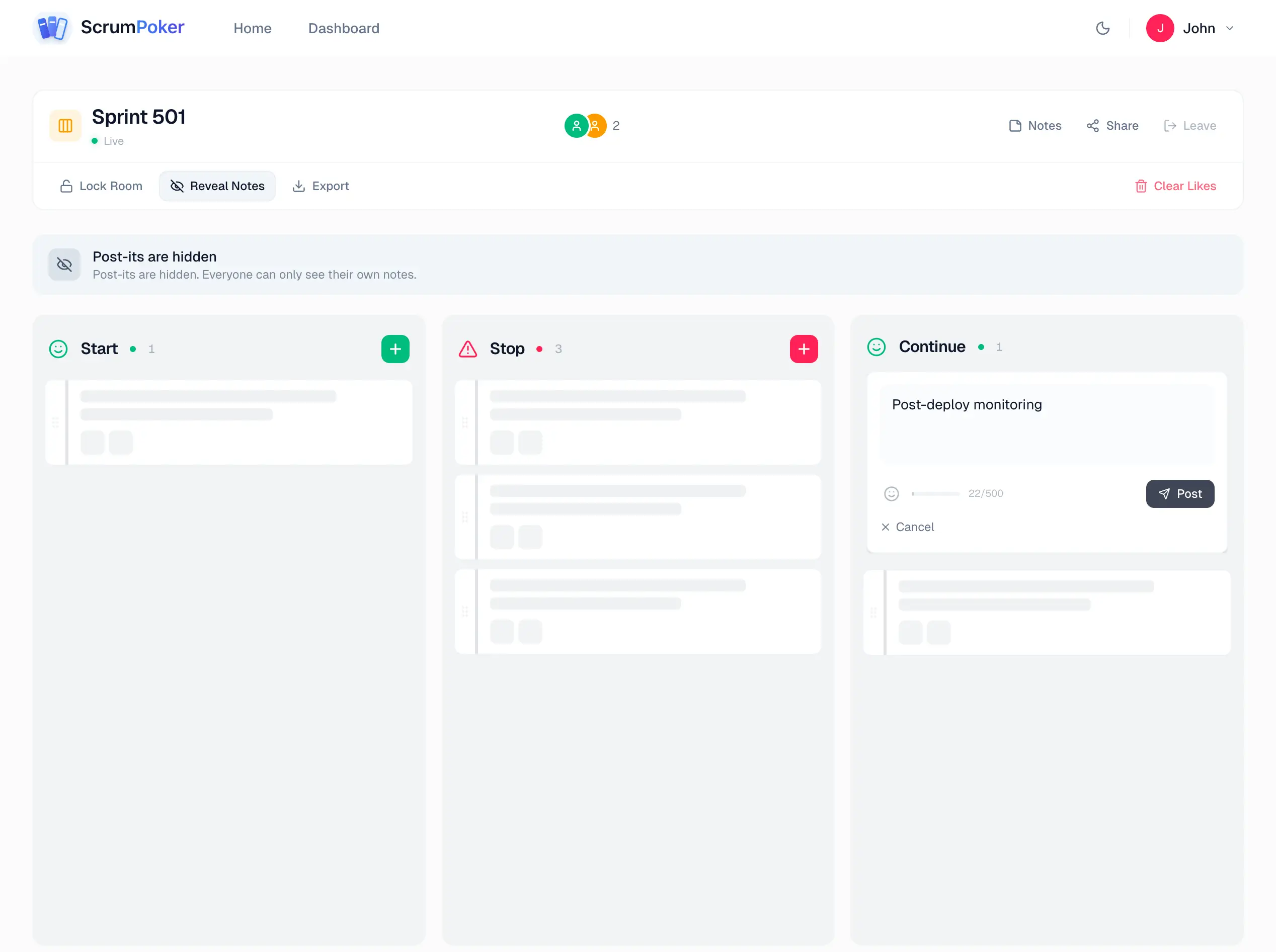
Team members add thoughts to each column anonymously. Vote on the most important topics with thumbs up to surface what matters most.
Reveal & discuss
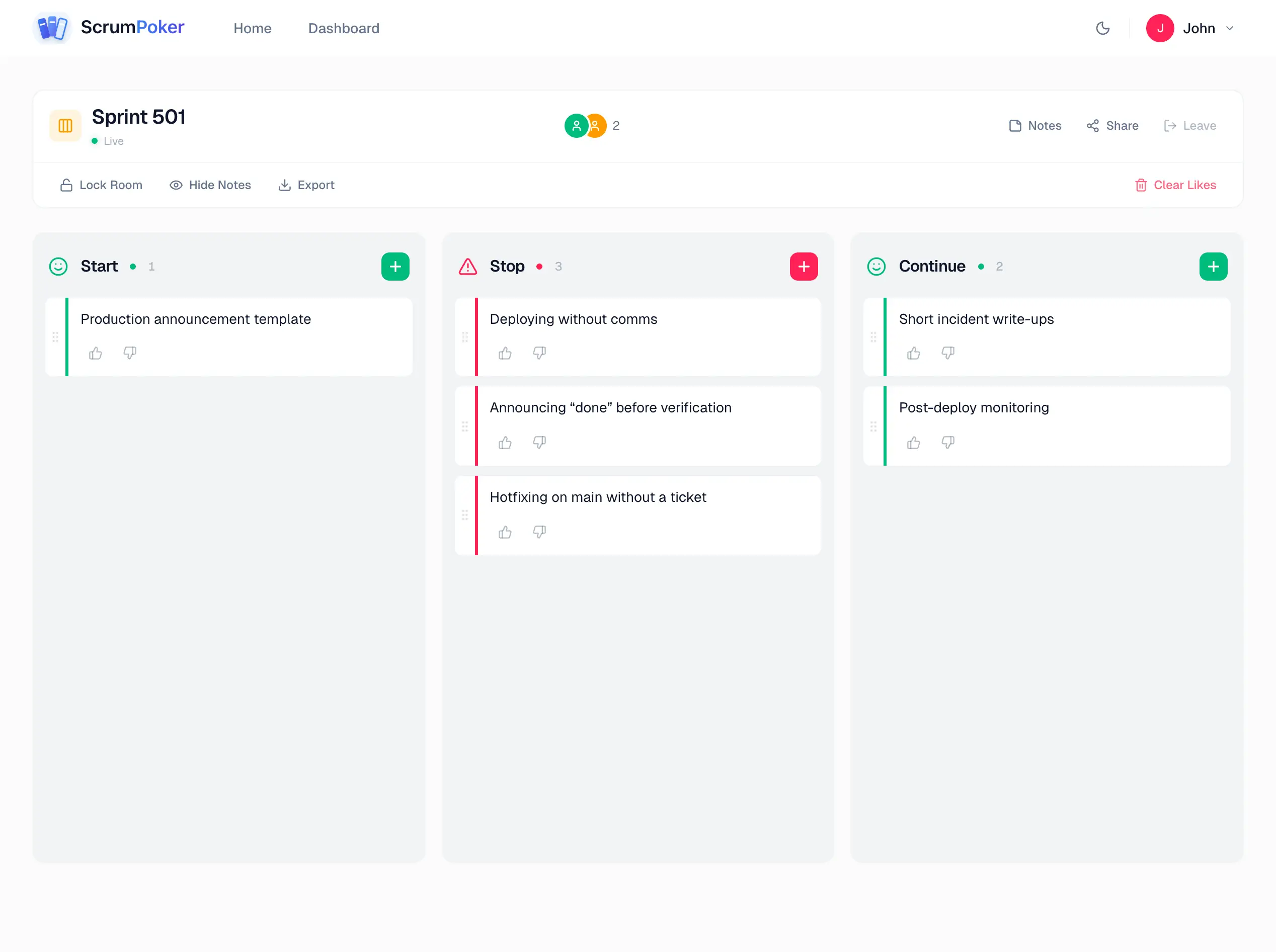
Reveal all notes at once. The team discusses top-voted items together and captures concrete action items with owners.
The three columns
A structured framework for honest reflection.
What Went Well
Celebrate successes. Acknowledge what worked during the sprint to reinforce good practices.
What Didn't Go Well
Identify pain points honestly. Focus on processes and situations, not blame.
Action Items
Turn insights into concrete improvements. Assign owners and deadlines for accountability.
Why retrospectives matter
The most important meeting for continuous improvement.
Continuous Improvement
Regular retros create a feedback loop that helps teams continuously optimize their workflows.
Open Communication
A structured, safe environment encourages honest feedback and surfaces issues early.
Actionable Outcomes
Every retro produces concrete action items with owners, turning insights into improvements.
Learn more about retrospectives
Deepen your understanding with our free guides.
What Is a Sprint Retrospective?
Learn what a retrospective is, why it matters, and how to run one effectively.
Read guideBest Sprint Retrospective Formats
Explore the most effective retrospective formats: Classic, Start-Stop-Continue, 4Ls, and more.
Read guideHow to Facilitate a Retrospective
A practical guide for Scrum Masters and team leads on facilitating effective retros.
Read guideRetrospective Action Items That Work
Learn how to create, assign, and follow through on retrospective action items.
Read guideFrequently asked questions
Everything you need to know about retrospectives.
A sprint retrospective is a meeting held at the end of each sprint where the team reflects on what went well, what didn't, and what can be improved. It's one of the five Scrum ceremonies and the team's primary mechanism for continuous improvement.
A typical retrospective for a 2-week sprint lasts 60-90 minutes. Our tool helps keep things focused and time-boxed. Teams usually spend 10 minutes adding notes, 20-30 minutes discussing themes, and 15-20 minutes defining action items.
Anonymity encourages honest, candid feedback. Team members are more likely to raise difficult topics when they know their comments can't be attributed to them individually. This leads to more productive discussions and real improvements.
Create a room, choose a template (Classic is most popular), and share the link with your team. Everyone adds notes to columns, then the group votes on the most important topics to discuss. End by assigning concrete action items with owners.
Yes. Choose from built-in templates like Classic (Went well / Could be better / Ideas / Actions), Start-Stop-Continue, or 4Ls (Liked / Learned / Lacked / Longed for). Each template is designed for different retrospective styles.
Scrum Poker offers one of the best free retrospective tools available. It includes anonymous note-taking, real-time voting, multiple templates (Classic, Start-Stop-Continue, 4Ls), and action item tracking — all completely free with no sign-up required to join a session.
Create a free retrospective room, choose a template, and share the link with your remote team. Everyone adds anonymous notes to columns, then the team votes on the most important topics. Discuss the top-voted items and assign action items with owners. The entire process works in real time via your browser.
The best sprint retrospective tools support anonymous feedback, real-time collaboration, voting, and action item tracking. Scrum Poker provides all of these features for free, making it ideal for teams that want a lightweight, no-setup solution for running effective retrospectives.
Yes, absolutely. You can create unlimited retrospective rooms, invite unlimited participants, and use all templates and features at no cost. There's no trial period, no credit card required, and no premium tier needed — the retrospective tool is free forever.